







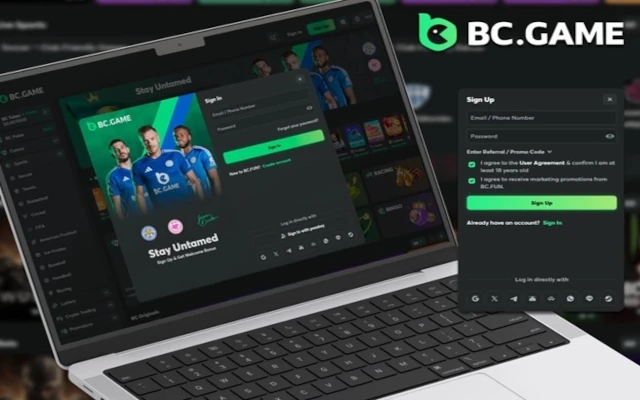


BC Game has been the most preferred online betting site by users in Pakistan, allowing them to wager on casino or sports events and grab winnings. If you have already registered an account on this website, you will be able to easily sign in to BC Game and bet on your favourite casino games or sports events without any interruptions. With the help of the simple and user-friendly interface of the platform, it has been the top choice for both new and seasoned bettors, allowing them to find their favourite options with ease. This guide will cover the login process along with the solutions to some of the commonly faced problems.
How to Log in to BC Game
The process of logging in to your account at this site is simple and straightforward, but it depends on the mode through which you have registered. There are two ways to log in to the account, which include account credentials and social media networks.
Login via Email/Phone Number
To log in to BC Game via email/phone number, simply follow the instructions:
- Go to the official BC Game website for Pakistani users and click on the “Sign-in” option.
- Now, you will simply have to enter the registered email or phone number, along with the account password.
- After entering the details, you will now have to click on the “Sign-in” option, and if the details are provided correctly, your account will be logged in.
Login via Social Media
Some users prefer to log in to BC Game account through social networks. After all, this method is easier and faster. Here’s how to do it:
- Head over to the BC Game official website for Pakistani users and click on the “Sign-in” option on the homepage.
- Select the social media platform through which you linked your account to this site. Some of the social media networks on the login page include Google, Twitter, Telegram, Metamask, etc.
- You will now have to select your account on the respective social media site.
- Your account will be instantly logged in, and you will now be set to access the betting options.
In this way, you will be able to gain access to your account using any of these login options. Also, this site offers the passkey feature, which allows you to instantly log in to your account via the passkey generated for the same.
Common BC Game Login Issues and Solutions
There are a few issues that can be encountered by the users at the time of logging in to their account. Some of the login issues, along with their solutions, are as follows:
Forgot Password
If you have forgotten the password to your account at BC Game, you will be able to reset it by following these steps:
- Click on the forgot password option on the homepage and enter the registered email or phone number.
- Verify it with the help of the verification code sent by the platform.
- You will be able to enter the new password and log in to your account through the same.
Incorrect Email or Password
Ensure that you have entered the email and password to your account correctly during the login process. Since both of them are case sensitive, it is recommended to have a double-check while logging in.
Two-Factor Authentication (2FA) Problems
If you have enabled two factor authentication for your account and are facing issues with your authentication app, it is recommended to use the backup codes offered by the BC Game website at the time of setup. In case you do not remember the same, you will be able to connect with customer support to access your account.
Account Locked Due to Multiple Failed Attempts
The account gets locked on this site if you have tried logging in multiple times with the wrong password. It is recommended to wait for a few hours and try logging in again with the correct password.
Note: Newskarnataka advises its readers to consult experts / professionals and research further on this subject, be aware of the risks involved, and comply with all locally applicable laws and regulations in this regard.