


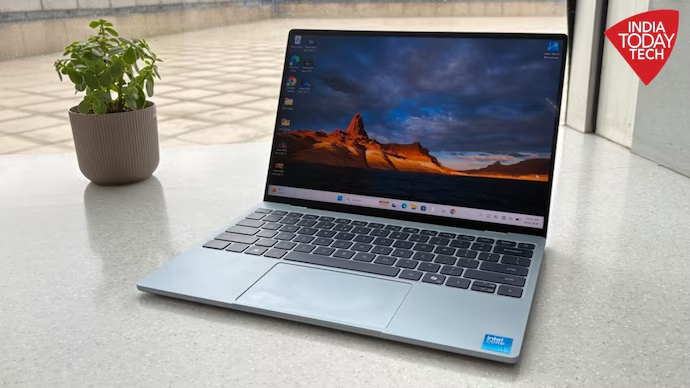


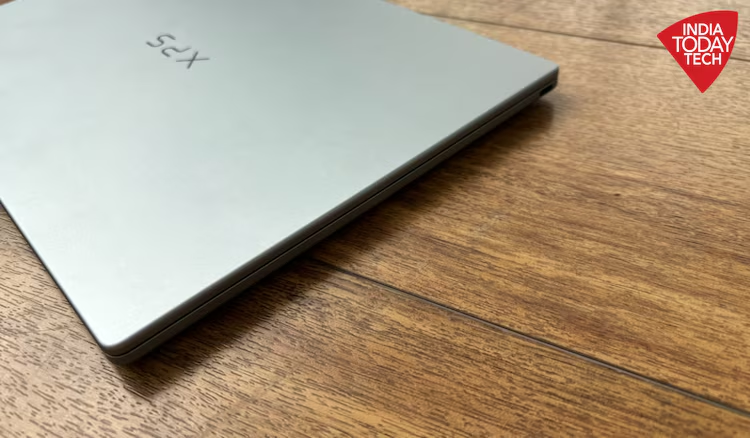
New Delhi: The Dell XPS 13 (2026) makes a strong first impression with its compact design, lightweight build and premium aluminium finish. Weighing just 1kg in its lightest configuration and measuring 12.7mm in thickness, it is designed for people who want a laptop they can carry around all day without feeling weighed down.
The laptop also gets several everyday essentials right, including a bright touchscreen, a comfortable keyboard, capable speakers and battery life that can nearly last through a typical work shift.
However, the XPS 13 is not designed to be a performance powerhouse. The variant reviewed here, powered by an Intel Core 5 320 processor with 8GB RAM and 512GB SSD storage, handles routine office tasks comfortably but struggles to justify itself for users who need substantial computing power.
After using it for browsing, writing, office work, photo editing and streaming, the biggest takeaway is straightforward: the Dell XPS 13 is a compelling choice for portability and everyday productivity, provided you understand its limitations.
Design: The biggest reason to like the XPS 13
The first thing that stands out about the Dell XPS 13 is how light it feels. It is compact enough to slide into a tote bag or backpack without adding much weight, making it convenient for commuting, travelling and moving between meetings.
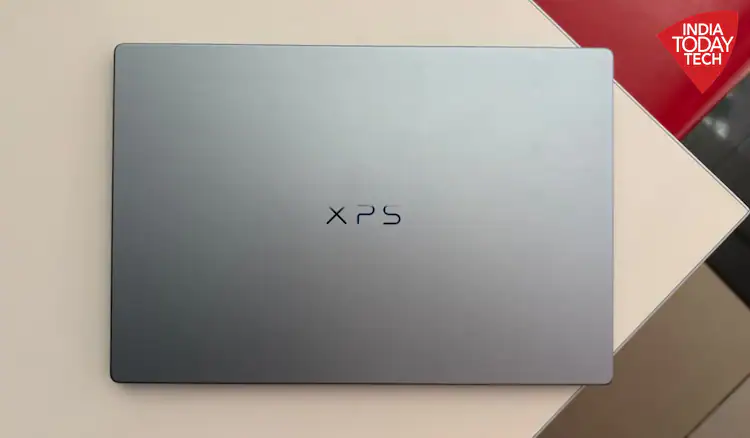
The minimal design gives it a premium appearance, while the aluminium finish feels solid. The blue colour option featured in this review is subtle and understated. More adventurous colour options would have been welcome, but the existing finish looks refined without being flashy.
The build quality also inspires confidence. The hinge feels sturdy rather than flimsy, and the laptop does not feel fragile despite its slim profile. The aluminium surface is relatively easy to clean, while the overall construction reinforces the premium positioning of the XPS range.
The keyboard is another positive aspect of the design. Its tactile keys feel solid under the fingers, making the laptop comfortable to use for extended writing sessions.
There is, however, one notable compromise: connectivity.
The XPS 13 has just two USB-C ports. On the Core Ultra configuration, these are Thunderbolt 4 ports with DisplayPort 2.1 and Power Delivery support. This arrangement works well if most of your accessories use USB-C or connect wirelessly.
However, people who regularly use USB-A pen drives, HDMI displays or multiple peripherals will probably need an adapter or USB-C hub. That adds another accessory to carry, slightly reducing the convenience of an otherwise highly portable laptop.
Display: Bright, vivid and smooth
The Dell XPS 13 features a 13.4-inch LCD touchscreen with a 2.5K resolution of 2560 x 1600 pixels. The panel also supports a variable refresh rate ranging from 30Hz to 120Hz, offers a typical brightness of 500 nits and covers 100 per cent of the DCI-P3 colour gamut.
In everyday use, the display performs well. Colours look vibrant without appearing excessively saturated, and the overall presentation feels reasonably natural. The screen proved suitable for writing, browsing, watching movies and YouTube videos, as well as editing photographs.
The experience is not as immersive as that of an OLED display, but the LCD panel holds its own for a laptop focused on portability and productivity.
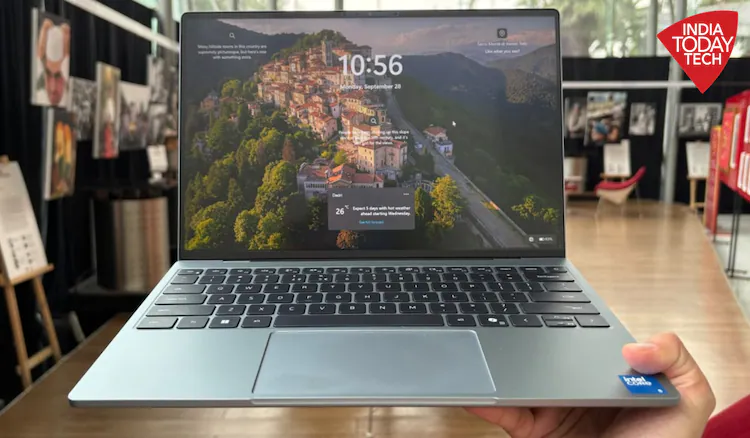
The 120Hz refresh rate is another welcome feature. Scrolling through websites feels fluid, while moving around Windows appears smooth and responsive. This makes routine interactions feel more polished than they might on a conventional 60Hz panel.
The touchscreen also turned out to be more useful than expected. It makes scrolling through articles, zooming into photographs and tapping on-screen controls convenient, particularly when navigating content quickly.
There is some glare, however. Reflections become noticeable when a strong light source or a window is positioned behind the user. The brightness helps keep the screen visible in well-lit surroundings, but adjusting the laptop’s position may still be necessary in particularly reflective environments.
Overall, the display is one of the laptop’s strengths, combining good brightness, a high resolution, smooth scrolling and useful touch functionality in a compact form factor.
Performance: Good for everyday work, not heavy workloads
The reviewed Dell XPS 13 configuration uses an Intel Core 5 320 processor, 8GB LPDDR5X RAM and 512GB SSD storage.
For routine productivity, this combination is capable enough. During testing, the laptop was used for web browsing, writing, working in an office content management system, streaming and other everyday activities. These tasks ran without any major lag during the reviewer’s usage.
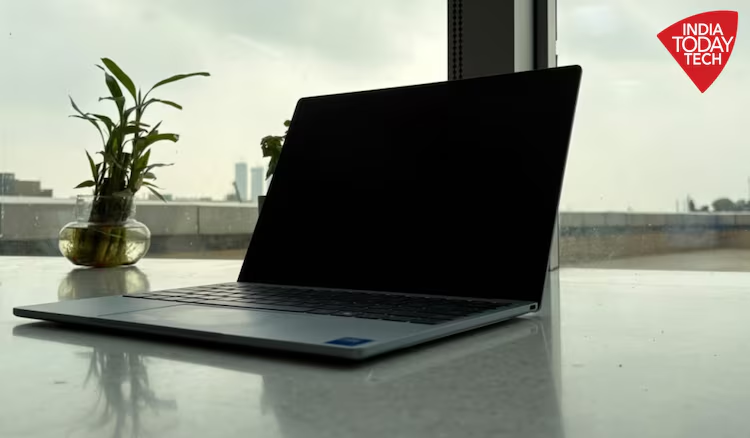
The limitations become more apparent when workloads grow demanding.
Heavy photo and video editing, intensive AI tasks and running too many applications simultaneously are not ideal workloads for the 8GB RAM configuration. Users who frequently work with resource-intensive software or large projects should consider a model with more memory.
Dell offers configurations with up to 32GB RAM and 1TB SSD storage, although moving to a higher specification also increases the purchase cost.
The reviewer also found that the base XPS 13 configuration lagged behind Apple’s MacBook Neo in performance. The comparison was attributed to Apple’s close integration of its processor, hardware and software. However, the extent of the difference would depend on the applications being tested and the specific configurations compared.
The XPS 13 should therefore be viewed primarily as a portable productivity laptop rather than a machine intended for demanding creative or computational work.
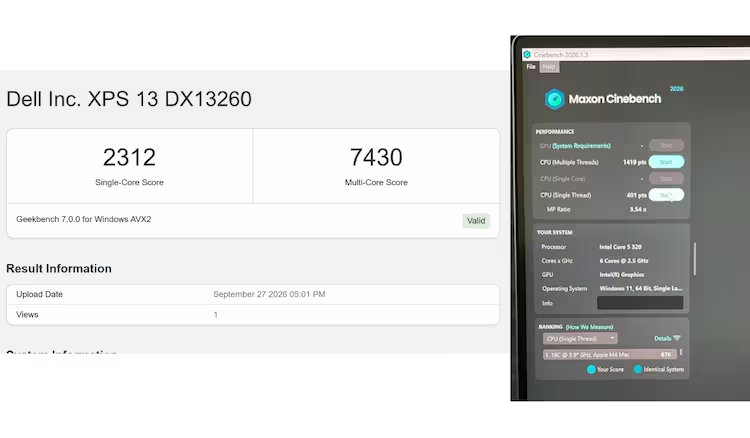
For students, writers and professionals who mainly use browsers, documents, online classes and office applications, the 8GB variant may be sufficient. Those who regularly multitask heavily or use demanding software should consider a higher-memory configuration.
Keyboard, touchpad and speakers
The keyboard is comfortable for extended typing sessions. Its tactile, slightly raised keys feel different from the zero-lattice keyboard used on the larger XPS 16, offering a more conventional typing experience.
For someone who spends several hours writing articles, editing documents or responding to emails, the responsive keys are a meaningful advantage. The reviewer reported no major issues during longer writing sessions and found the keyboard easy to get used to.
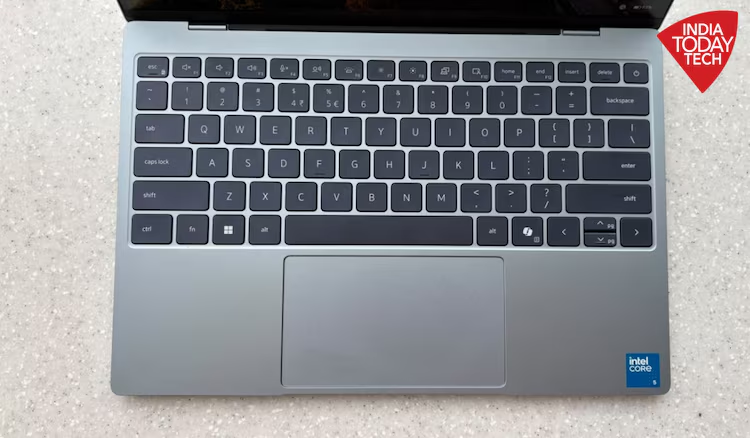
The glass touchpad is another strong point. Tracking is accurate, gestures work properly and palm rejection did not present any significant problems during testing. Together, the keyboard and touchpad make the laptop comfortable to use without requiring external input devices.
Audio performance is also impressive for a compact machine.
The XPS 13 has a quad-speaker system with 8W peak output and Dolby Atmos support. The speakers deliver clear, sufficiently loud audio for everyday entertainment.
Whether watching YouTube, listening to music while working or streaming a film, the built-in speakers were adequate for casual use without the need to connect a separate Bluetooth speaker.
While a dedicated speaker system may still be preferable for people who prioritise high-quality audio, the XPS 13’s sound output is a welcome addition to its otherwise productivity-focused design.
Battery life: A major advantage
Battery life is one of the most appealing aspects of the Dell XPS 13.
The laptop houses a 52Wh battery, and Dell claims up to 17 hours of streaming. Actual endurance will vary depending on screen brightness, applications, network conditions and workload.
During regular use, the reviewer managed approximately six to seven hours of work while still having around 30 per cent battery remaining. That suggests the laptop can comfortably cover a substantial portion of a typical working day, although the result should not be interpreted as a standardised battery test.
Charging is relatively quick, too. The laptop reached a full charge in approximately an hour during the reviewer’s testing.
Dell includes a 65W USB-C GaN charger, which provides a compact charging solution that suits the laptop’s emphasis on portability.
Thermal performance was also satisfactory during routine tasks. The laptop remained comfortable to use, with no major thermal issues noticed during the review period.
For students attending classes or professionals working away from a desk, this combination of battery endurance, quick charging and low weight makes the XPS 13 a practical everyday companion.
Dell XPS 13 (2026): Should you buy it?
The Dell XPS 13 (2026) makes a strong case for itself as a premium, portable Windows laptop. Its lightweight design, sturdy aluminium construction, vivid touchscreen, comfortable keyboard and capable speakers make it well suited to everyday computing.
Battery life is another highlight, with the reviewer’s usage suggesting that the laptop can get close to lasting through a typical work shift. Its compact dimensions also make it particularly convenient for people who carry their laptops frequently.
The main compromises are the limited selection of ports and the performance constraints of the 8GB RAM configuration. Users who need to run demanding applications, perform heavy video editing or manage extensive multitasking should consider a higher-specification model or a more powerful laptop.
The value proposition will also depend on the price of the configuration available to buyers, particularly when compared with alternatives offering more memory or greater processing capacity.
The verdict: If portability, premium design and everyday productivity are your priorities, the Dell XPS 13 is a compelling option. If your work involves demanding AI applications, intensive editing or consistently heavy multitasking, consider the higher-memory configuration before buying.