









The unexpected behaviour has triggered concern among users, many of whom were unaware that their photos were being automatically sent to a wider audience than intended.
What is Instagram Instants?
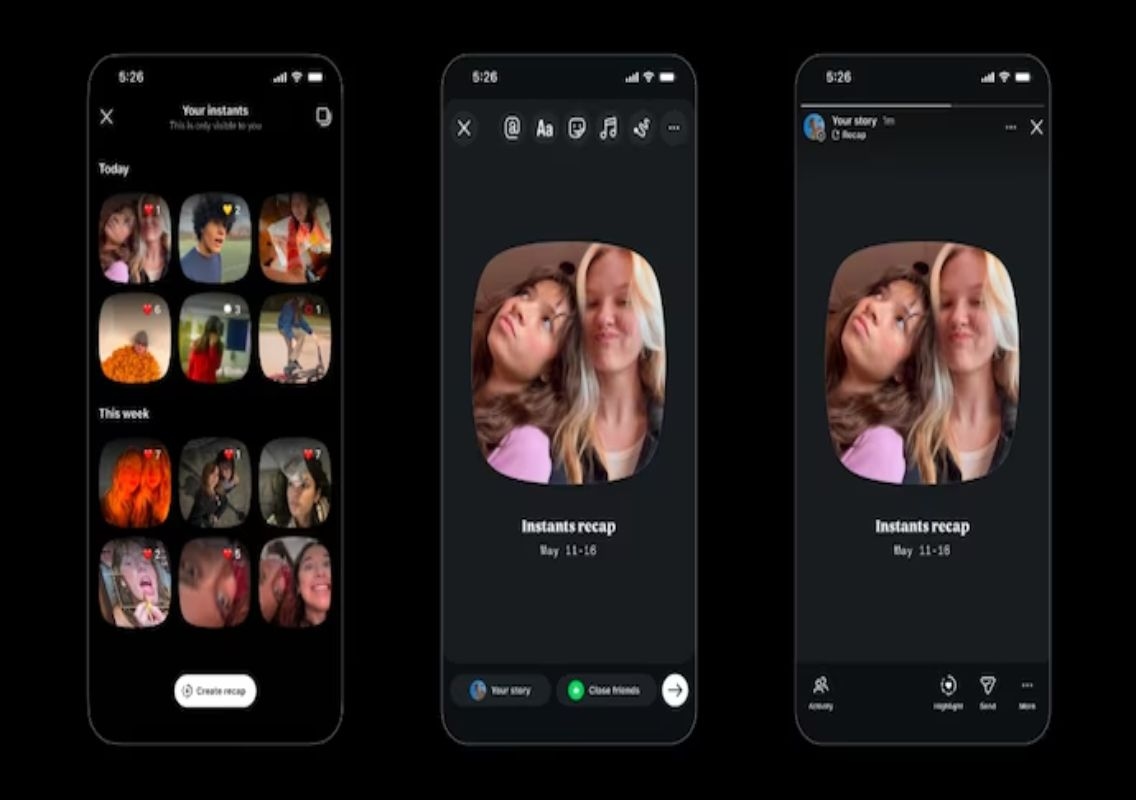
Instants is a new ephemeral photo-sharing feature that allows users to send images that disappear automatically after 24 hours. The concept is similar to platforms like Snapchat, where users can share unfiltered, real-time moments without worrying about long-term visibility.
The feature is accessible directly within Instagram’s messaging interface. Users can find it as a small photo stack icon located at the bottom-right corner of the direct messages (DMs) section.
Once opened, the feature provides a brief introduction explaining that there is no public viewer list and that reactions and replies remain private. Users are then taken to a camera interface to capture and share images instantly.
Why users are accidentally sharing photos
The confusion stems primarily from how the sharing mechanism is designed. When users open the Instants camera, they are presented with a shutter button and a sharing option just below it.
By default, the feature is set to “Friends”, which includes all users that one follows and who follow them back. The alternative option is “Close Friends”.
Many users are unaware that pressing the shutter button immediately sends the captured image to all contacts under the selected category. This lack of granular control means users cannot select individual recipients for Instants photos.
As a result, several users have reported accidentally sharing personal or casual photos with a much larger group than intended, leading to discomfort and privacy concerns.
Growing concerns over control and privacy
The rollout of Instants comes at a time when users are increasingly conscious about privacy and control over their digital content. While Instagram has historically been associated with curated and polished posts, newer features like Instants are attempting to shift towards more authentic, real-time sharing.
However, the absence of individual sharing options has raised questions about usability. Experts note that users are accustomed to choosing specific recipients when sharing content, especially in private messaging environments.
The current design, which prioritises speed over control, may not align with user expectations, particularly for those who prefer selective sharing.
How to turn off Instagram Instants
For users who wish to disable the feature or avoid accidental sharing, Instagram provides options to limit or completely turn off Instants.
To disable Instants:
- Open your profile
- Tap the three-line menu in the top-right corner
- Go to Settings
- Scroll to “Content Preferences”
- Enable the “Hide Instants in Inbox” option
Once this setting is activated, Instants will no longer appear in your inbox, and you will not receive Instants photos from others.
Temporary ways to avoid Instants
If users do not want to disable the feature entirely, there is also a temporary workaround. By pressing and holding the Instants icon in the inbox and swiping right, users can mute or stop receiving Instants for a limited time.
Additionally, if a photo has already been shared unintentionally, Instagram allows users to delete it. Instants has a dedicated gallery where users can remove sent images. Once deleted, the photo disappears from all recipients’ feeds simultaneously.
Conclusion
While Instagram Instants aims to encourage spontaneous and authentic sharing, its current implementation has led to confusion and unintended sharing among users. The lack of individual recipient control and default sharing settings have become key pain points.
As feedback continues to emerge, Instagram may need to refine the feature to balance ease of use with better privacy controls. Until then, users are advised to review their settings carefully to avoid accidental sharing.