






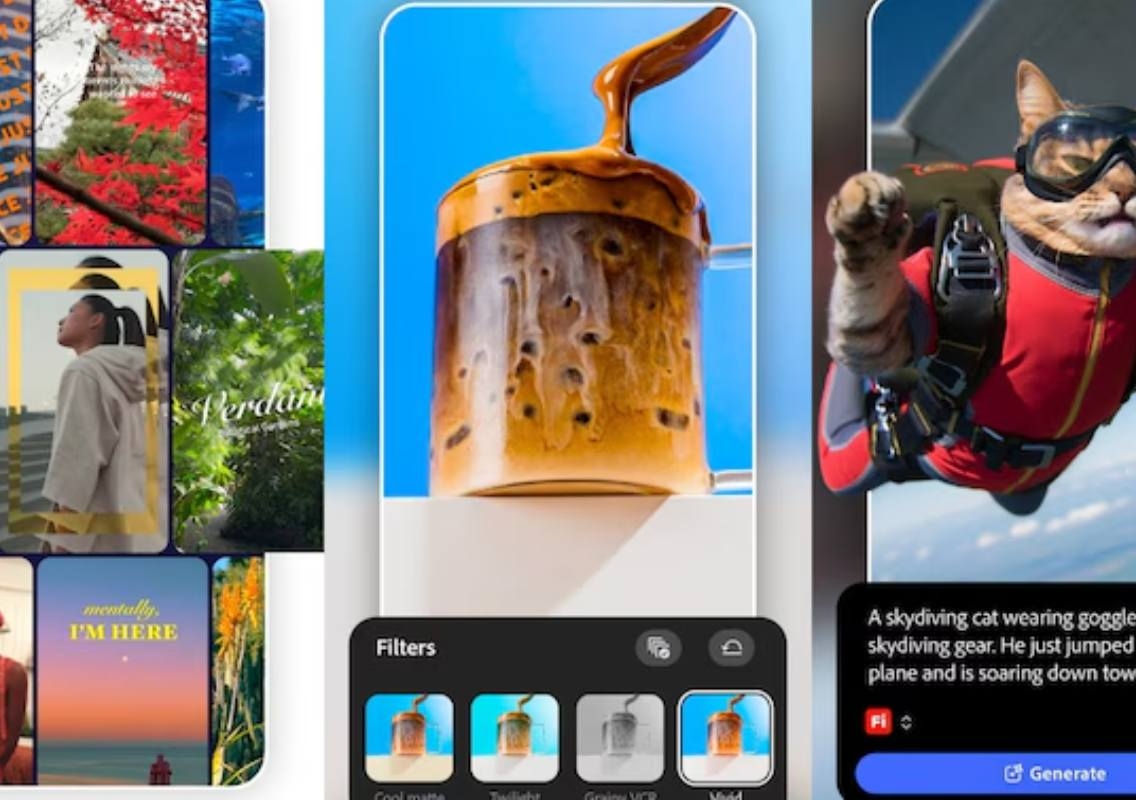


The mobile version of Premiere is designed for creators who want to shoot, edit and publish videos directly from their smartphones. Along with traditional editing tools, the app includes Adobe’s Firefly-powered generative AI features and a new Enhance Audio tool that uses AI to reduce background noise and improve recording quality.
Adobe is also planning more India-focused features, including Hindi captions, regional templates, additional fonts and more music options.
Adobe Premiere mobile features
Premiere mobile supports frame-accurate editing and a multi-track timeline, allowing users to combine video clips, music, voiceovers, text and effects in a single project.
Creators can also use templates, Adobe Stock assets and their own media while editing. The app is aimed at users who want to complete video projects on their phones rather than relying on a desktop or laptop.
One of the key additions in the Android launch is Enhance Audio. The AI-powered feature is designed to remove background noise and improve the clarity of recorded audio.
Adobe says the feature was introduced after feedback from Indian creators, who highlighted background noise removal as an important requirement when recording interviews, voiceovers and social media content in noisy surroundings.
Premiere mobile also supports editing and exporting videos at up to 4K resolution.
How Premiere mobile differs from Premiere Pro
Adobe says Premiere mobile is not intended to be a stripped-down version of Premiere Pro for desktops. Instead, the company has adapted its professional editing capabilities for the way people create content on smartphones.
Diksha Kuhar, director of product marketing for Premiere mobile at Adobe, told India Today Tech that the mobile version is designed around on-the-go creation and quick editing.
The app retains familiar features such as a multi-track timeline and frame-accurate editing, but the interface and tools have been adapted for smaller touchscreens. The aim is to allow creators to move from an idea to a finished video without requiring a large display or desktop setup.
Premiere mobile is free to use
The Adobe Premiere mobile app is available free on Android and iOS. The core video-editing tools, including 4K exports, are available without an additional charge.
The app also includes Firefly-powered generative AI features such as Generative Fill, Image-to-Video and Generate Sound Effects. However, some of these extended generative AI capabilities may require additional payment.
Adobe also offers additional cloud storage for a separate charge. The company says users will not be subjected to forced login or upgrade prompts while using the app.
More features coming to Premiere mobile
Adobe has outlined several upcoming additions for Premiere mobile. These include Adobe Fonts, more music options and Beat-to-Sync, a feature that automatically synchronises content with the beat of a music track.
Adobe says thousands of fonts will eventually be available to users through Adobe Fonts. The company also plans to expand the music options available within the mobile editing experience.
India is receiving specific attention as Adobe develops the app further. The company is working with Indian creators and plans to introduce more regional templates, including templates linked to India’s festive calendar.
Adobe is also working on regional-language captions, starting with Hindi before expanding support to additional Indian languages. The company is exploring Hinglish subtitles as well, following feedback from Indian creators.
With Premiere mobile now available across Android and iOS, Adobe is looking to make more of its video-editing capabilities accessible directly from smartphones, while continuing to add tools designed around mobile-first content creation.